CUSTOMER-LED TEAM EVENTS
Team Event Organizer Guide
Your team organizes its own external voice call and room captains. Setup support is by email; there is no included live facilitator or required planning call. A request is not a booking or confirmation.
Room setup screenshots
These are development screenshots of the actual room-creation and participant-join screens, not mockups.
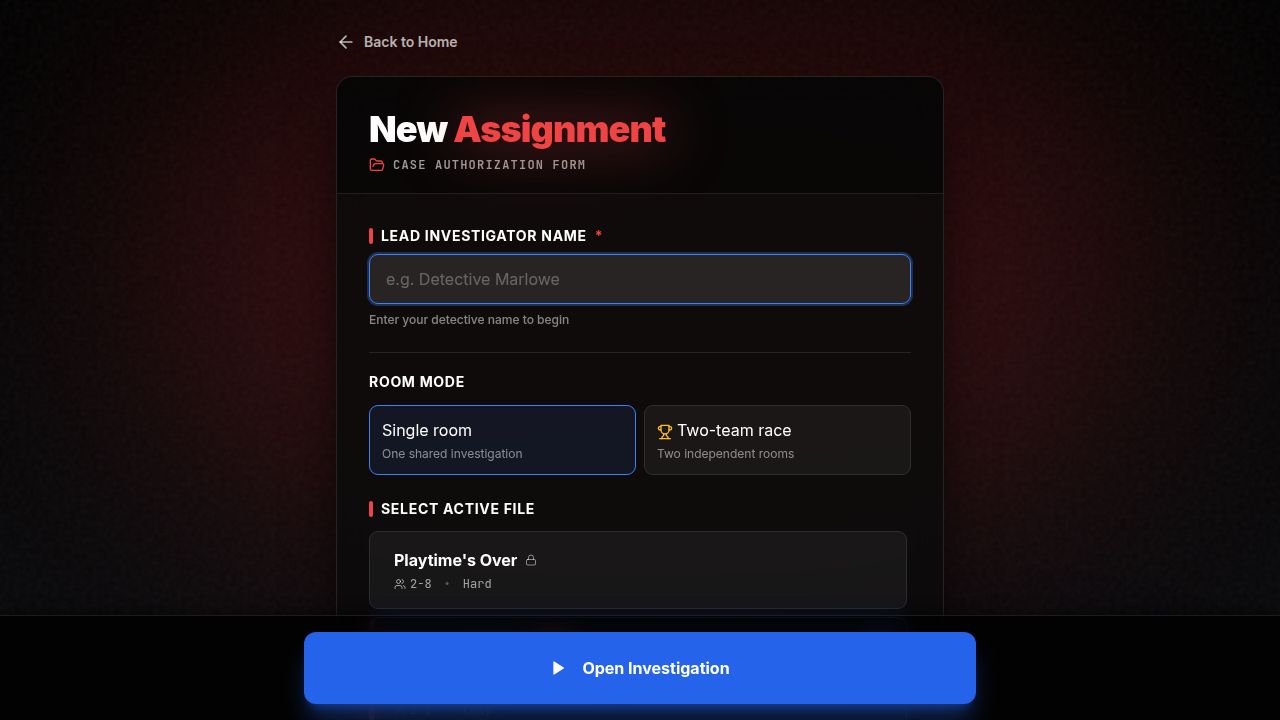
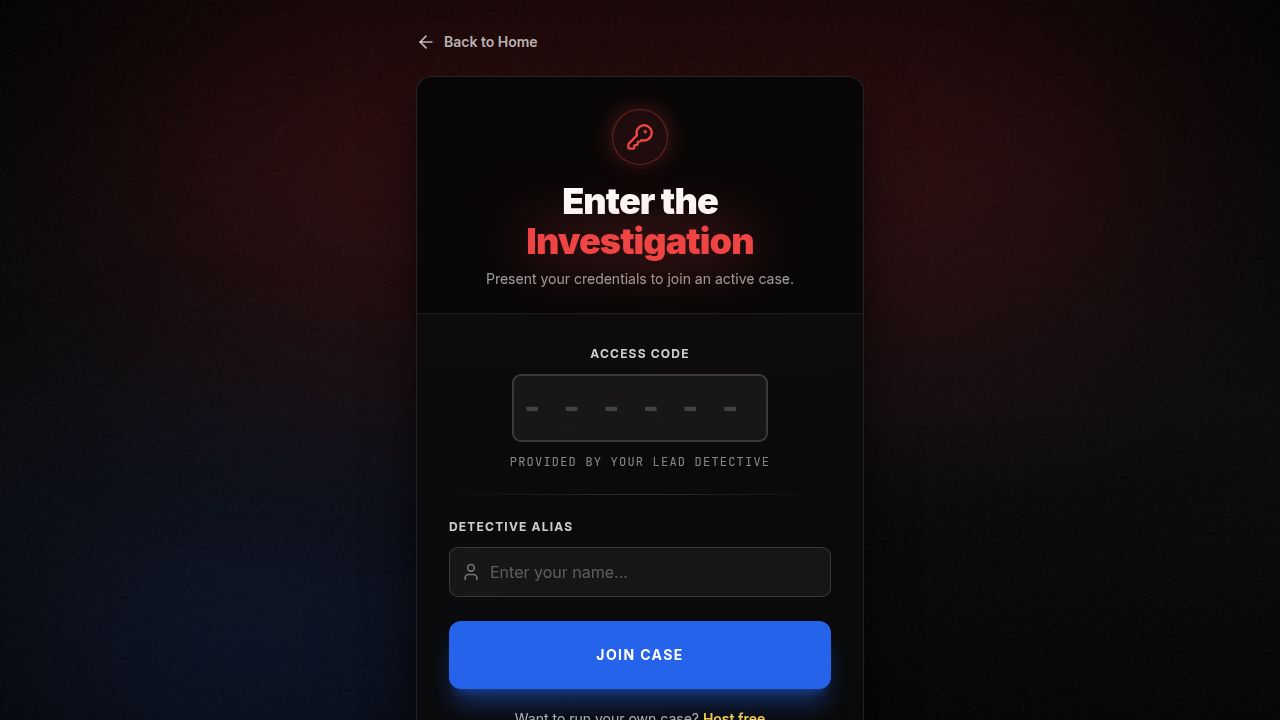
Before the event: call and group setup
Choose the external voice or video-call platform your group already uses. ColdCase Party does not connect to or manage calls or breakout rooms. Cameras and voice recording are not required.
The current lobby recommends 2–8 investigators and supports up to 20 participants per room. Follow the selected case's own recommended range, which may be smaller. Separate rooms normally play independently. For exactly two teams, a Teams Event Pass owner can use the dedicated race mode to create two rooms for the same case, start them together, and track a winner. This is not a general synchronized race for larger groups or arbitrary parallel rooms; those rooms are independent games, and teams can compare theories afterward by voice.
Check case access for every captain
Each captain creates and hosts their own room, so each captain needs eligible access to the chosen case. The first objective of Canvas of Death is free; a captain needs access to a selected premium case to play beyond a free preview. Other players can join without buying the case themselves. A pass or purchase on one account does not transfer to other captains.
Create the rooms and invite players
- Each captain enters a detective name, selects the agreed case, and opens the investigation.
- Share that room's participant join code with its squad. Players can open the join screen, enter the code, and choose an alias.
- Give players time to join the lobby. Participants may mark themselves ready; the captain begins the game with the lobby's Begin Investigation button.
Reconnect and regroup
If a connection drops, leave the game tab open briefly while it attempts to reconnect. If needed, refresh the same browser tab and keep the room code handy. After the separate rooms finish, bring everyone back to the external call or another agreed place to discuss conclusions.
Room lifecycle
Rooms older than 48 hours are pruned, so create them close to play time rather than days ahead. Share participant join information only; never share account credentials or private host controls.